A direct line to the wire
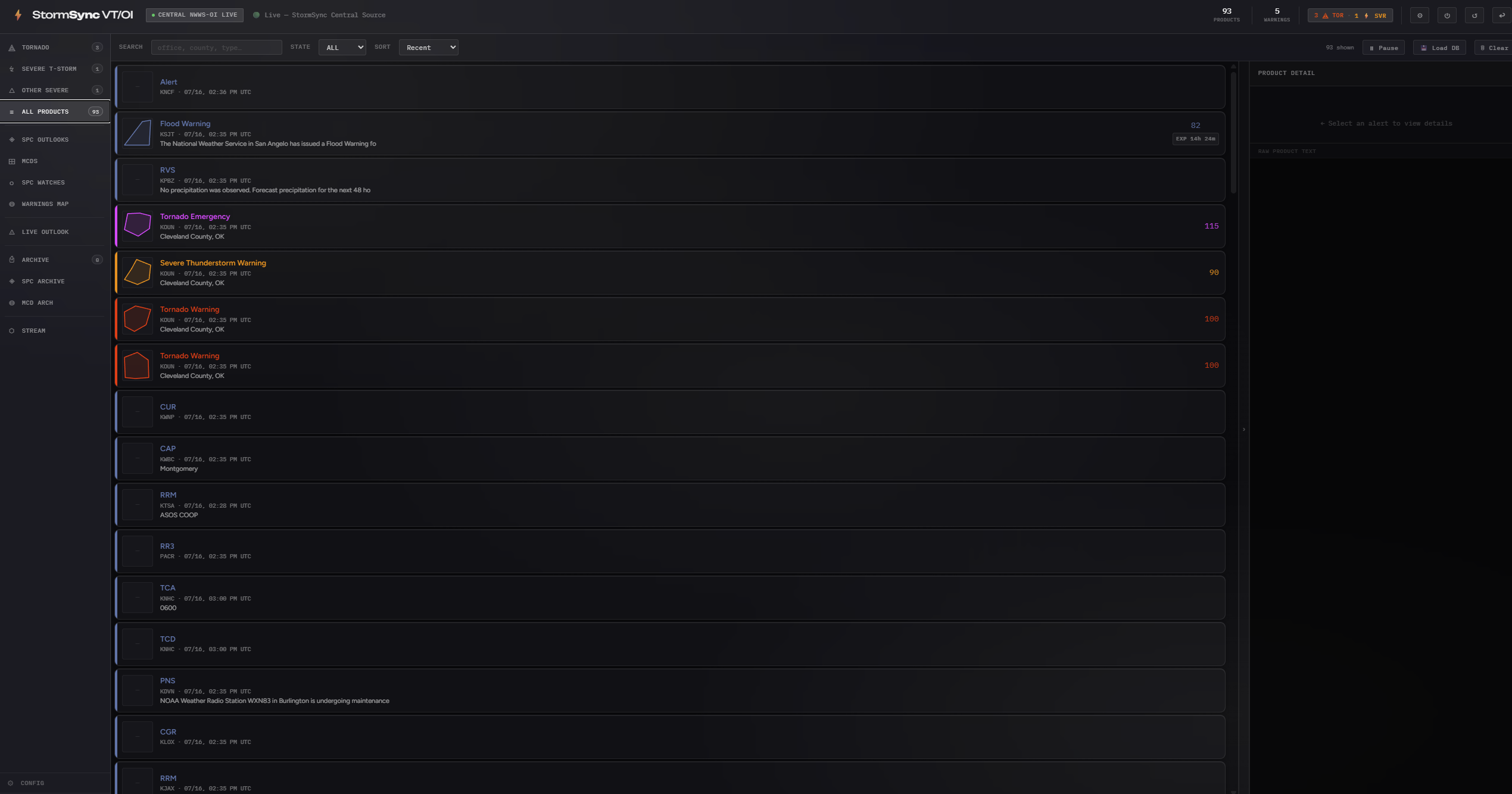
StormSync authenticates straight to NWWS-OI over XMPP and holds the connection open. No third-party aggregators, no polling delays. Products land on your machine the same moment they land at broadcast stations.
StormSync VT/OI listens directly to the NWWS-OI, or NOAA Weather Wire Service Open Interface, the same live circuit that feeds broadcast desks and emergency operations centers. The moment a warning is issued it is on your screen: decoded, ranked, color-coded by severity, and announced by tiered audio tones.
The NWS pushes alerts through several channels. Most weather apps pull from the public
REST API at api.weather.gov, which typically adds 60 to 120 seconds between
issuance and delivery.
The NOAA Weather Wire Service Open Interface (NWWS-OI) is different: an authenticated XMPP feed that broadcasters, emergency managers, and commercial alerting services rely on. Products are pushed the instant they are published, arriving within about 100 milliseconds of issuance. It is the same wire that drives the Emergency Alert System on broadcast television.
StormSync makes that feed available as a free desktop application. No aggregators in the middle, no polling delays. The wire, decoded on your machine.
Bars are scaled for comparison, not to absolute time. The point is the order of magnitude: a push feed versus a polling cycle.
No aggregator sits between the forecast office and your machine. That is the entire design.
A Weather Forecast Office or National Center issues a text product. It is pushed onto the Weather Wire immediately.
The product is emitted over an authenticated XMPP connection as a message stanza carrying the raw product text. No polling, no waiting for a refresh interval.
Your machine reads the VTEC and UGC codes, classifies the tier, assigns a severity rank, fires the tone, and writes the record to a local database.
Every part of StormSync exists to put critical information in front of you faster and cleaner than anything else a civilian operator can run.
StormSync authenticates straight to NWWS-OI over XMPP and holds the connection open. No third-party aggregators, no polling delays. Products land on your machine the same moment they land at broadcast stations.
Each product is broken down at the VTEC level: phenomena codes, significance, UGC zones, and action strings. Tornado warnings split into five sub-types, each with its own rank from 1 to 115.
Every tier carries its own distinct color, from Tornado Emergency down to routine advisories. Accent colors are customizable and persist across sessions.
Beyond warnings: Day 1 through Day 8 convective outlooks, Mesoscale Discussions, active watches on a map layer, and a warnings map drawing every polygon in the database.
Each tornado tier has its own distinct sound, so your ears know what just happened before your eyes do. Any default tone can be replaced with your own audio file, and notifications can be enabled per alert type.
Every alert received is written to a local SQLite database with full metadata intact. Nothing leaves your computer. The complete history stays available for post-event analysis.
Real captures from the app. Click any frame to view it full size.
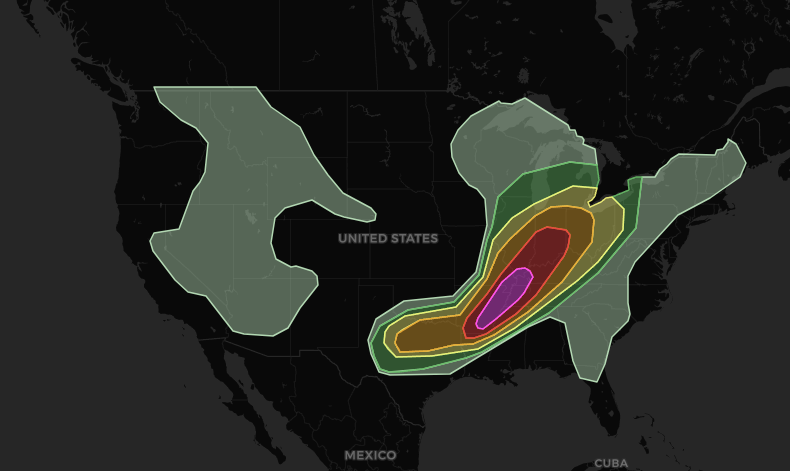
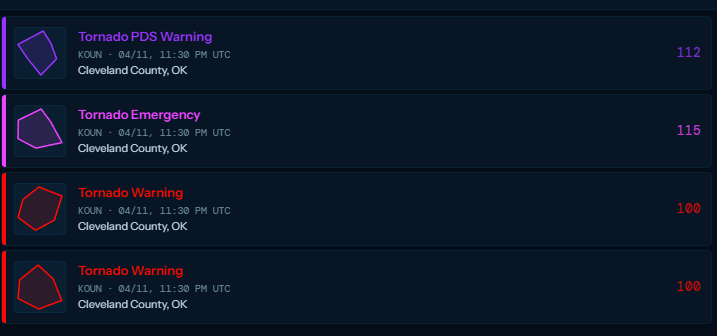
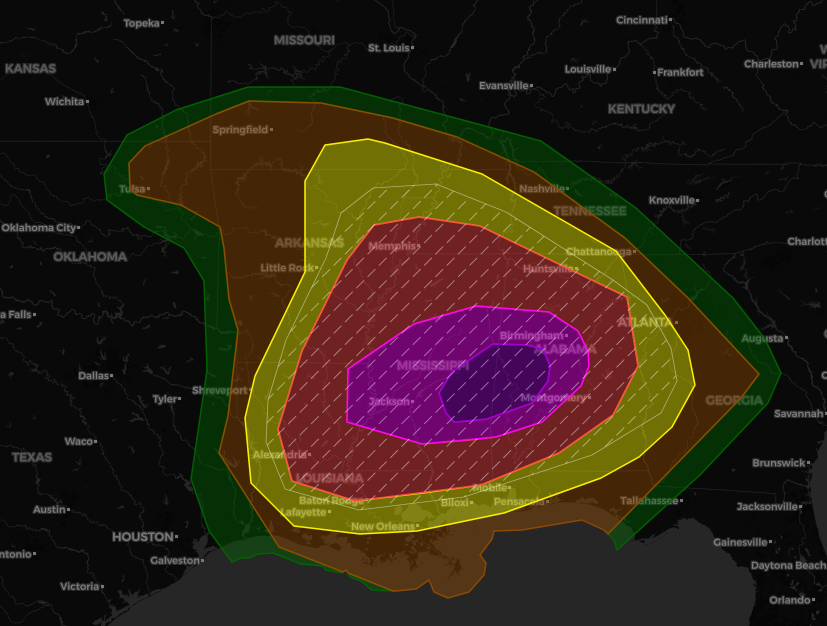
StormSync moves fast. Here is the current build in full. Older releases live on the History page.
A small map patch swapping in a new tile provider after the previous one changed its free-tier usage policy.
Access is free. Download StormSync, choose Central Feed, and you are live in seconds. No credentials required.